
Product
Everything the shop does, on one record
Sell at the counter or in the mobile app. Get paid through Palmpay or Nomba MFB. Run stock, invoices, customers, expenses, tax, staff, and outlets from the same place.
Sale
The product and the price
Stock
The shelf updates
Profit
After the fee
In the dashboard
The screens a shop opens
These are from a live BluuPay dashboard.
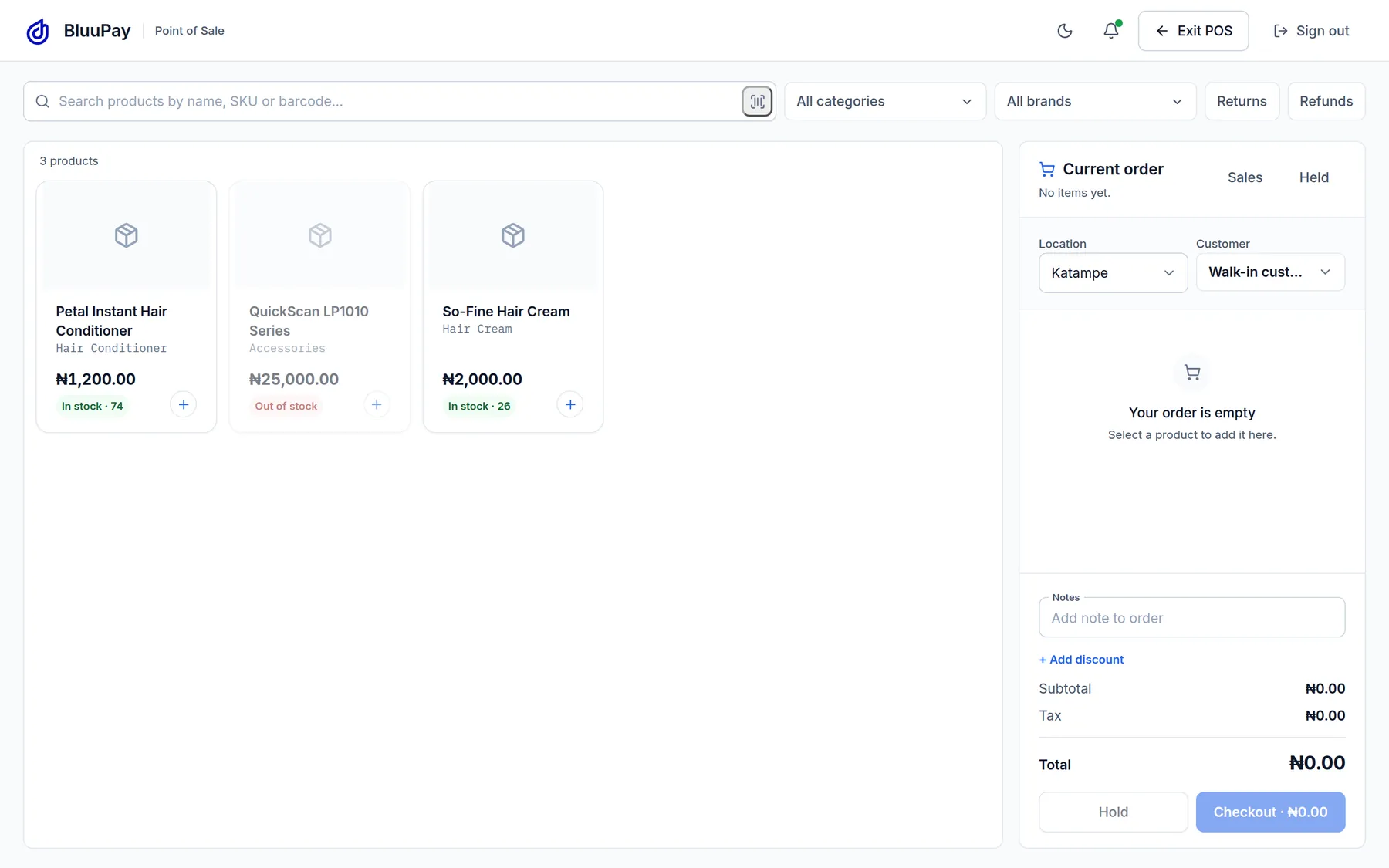
Point of saleSearch the shelf, see the price and the stock, and build the order. The order on this screen is empty. 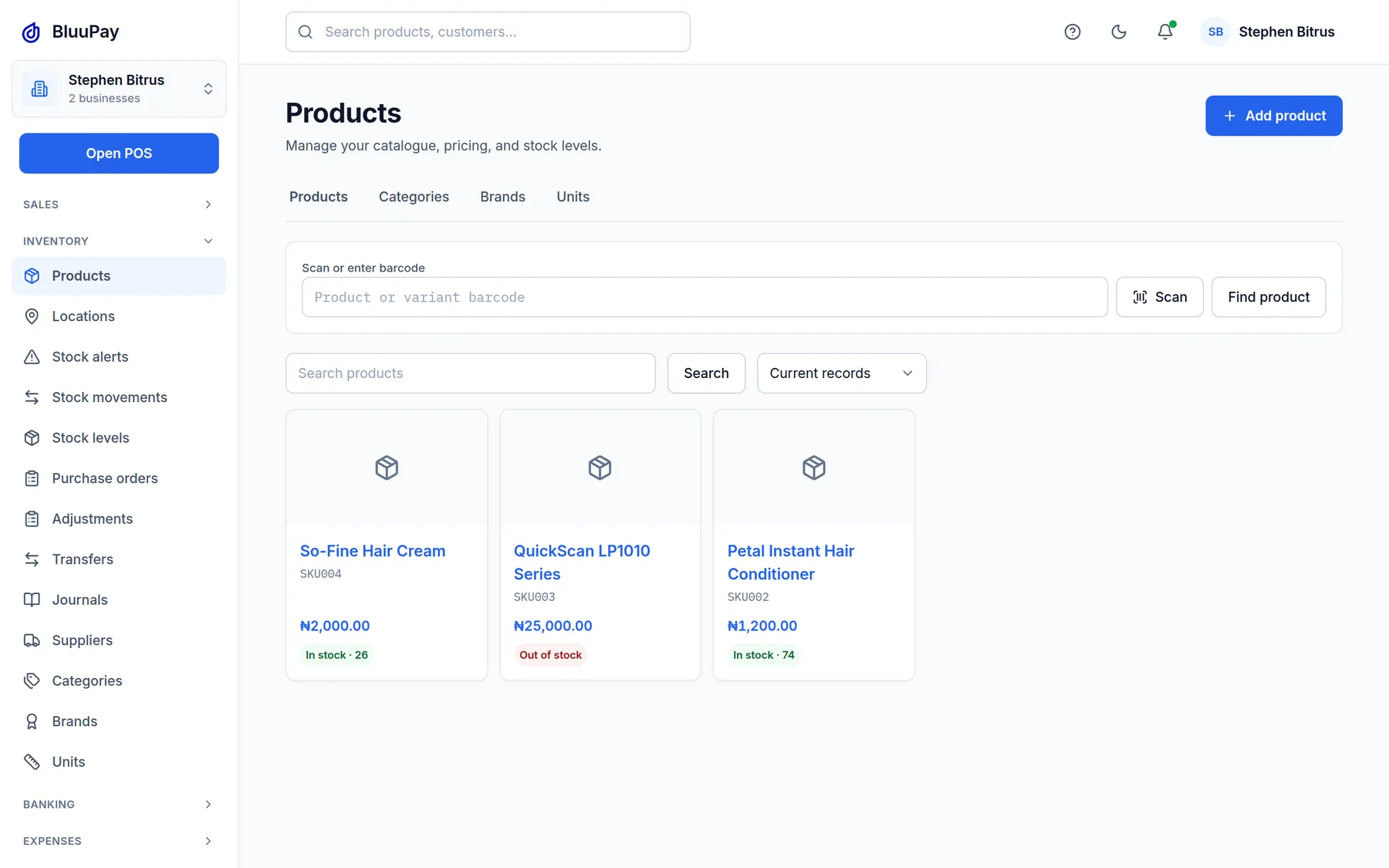
ProductsThe catalogue lists each product with its price and how many are in stock. 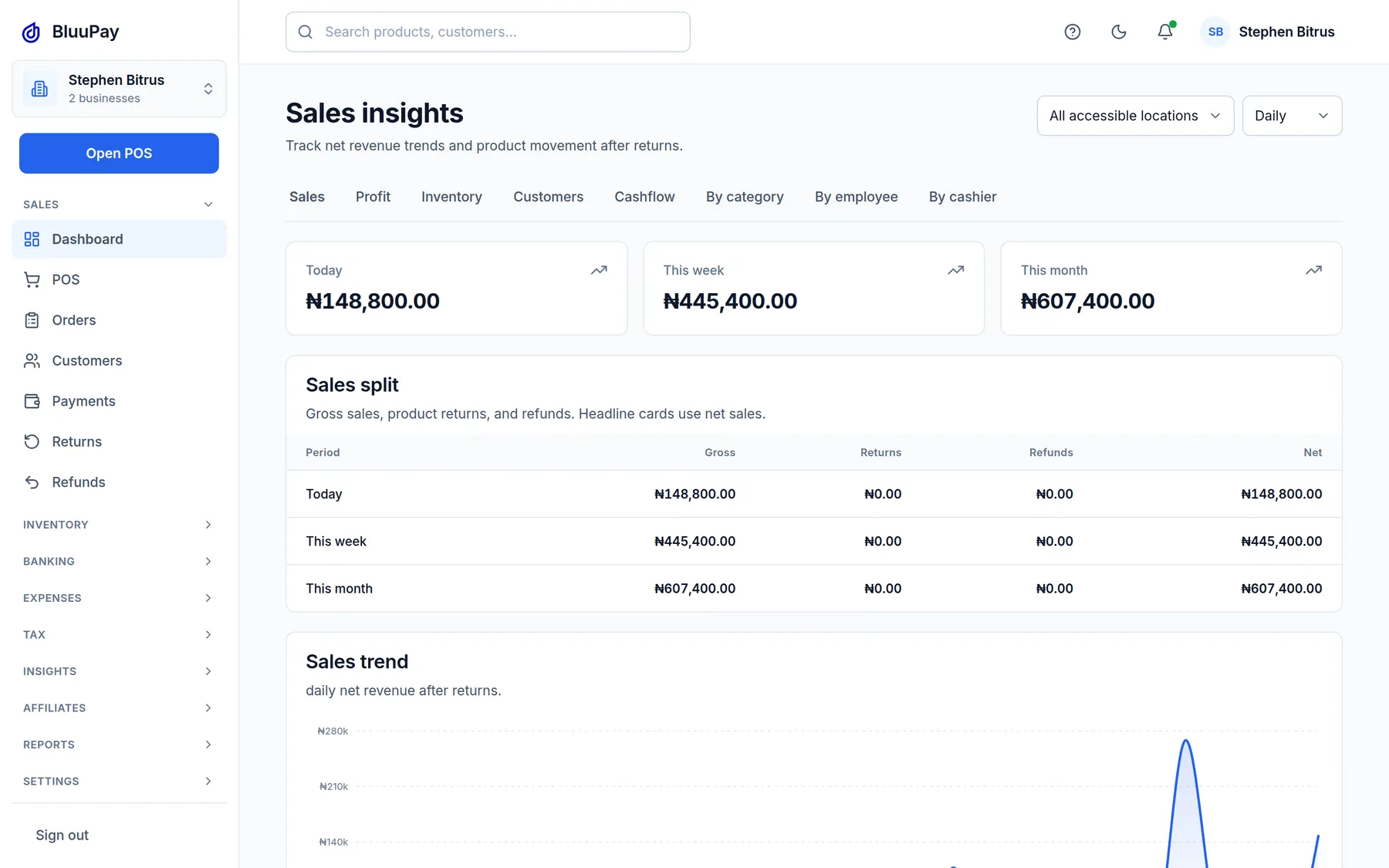
SalesSales insights show today, this week, and this month after returns and refunds.
Sell
Point of sale
Ring up the product, the price, and the payment from the counter. The sale lands on the business record immediately.
Payments
Record a bank transfer, USSD, a wallet payment, or cash against the product that was sold. Priced collections are bank transfer and wallet payment.
Mobile app
Sell and check the business from the phone your team already carries. Store listings are added here when they are public.
Get paid
Palmpay, next business day
Collections through Palmpay settle on the next business day (T+1). A Palmpay wallet payment is the exception and settles instantly.
Nomba MFB, instant
Collections through Nomba MFB settle instantly, on bank transfer and wallet payment.
Absorb the fee, or pass it on
You choose whether BluuPay’s collection fee stays with you or is passed through to the customer. The rate in the table is the same either way.
Run the shop
Inventory
Stock moves when the sale is recorded, so you can see what is left and what to reorder.
Invoicing
Send an invoice and keep it with the customer and the payment, instead of a separate notebook.
Customers
A CRM for the people who buy from you, tied to what they bought and what they still owe.
Expenses
Record money leaving the business so profit is not just sales minus a guess.
Tax
Keep tax with the sales it belongs to, ready for the report you already run.
Staff roles
Add the people who sell, and give each person a role. You can see who sold what.
Outlets
Run more than one location on the same business, with stock and sales separated by outlet.
Grow
Insights
See which products earn, which sit, and how the day actually went.
Reports
Daily and period reports for sales, stock, and profit, in a form you can share.
Business verticals
The same record serves retail, markets, wholesale, services, and the other shops listed on Solutions.
Coming soon
Not available to merchants yet
These are on the way. They are not part of what you can use when you open the dashboard today.
WhatsApp
Selling and support through WhatsApp are not available yet.
PoS terminals
A BluuPay point-of-sale terminal is on the way. Today you sell from the phone and the point of sale in the app.
Desktop app
A desktop application is not available yet. The dashboard on the web is available now.
Offline selling
Selling without a connection is not available yet. BluuPay needs a connection for the sale to be recorded today.
BluuPay hardware
Branded terminals, tablets, desktops, and phones are not on sale yet.
Start today
Start with the shop you already run.
Create the business on the dashboard, add products, and record the next sale. A terminal is not required.